


How to Connect Google AdSense to Your Website onetizing a website is no longer reserved for giant publishers or sprawling media houses. Even a modest blog, a niche tutorial site, or a local news portal can generate steady revenue when structured wisely. Among the most trusted advertising platforms available today, Google AdSense remains a dominant choice. It is practical, scalable, and remarkably simple once the groundwork is laid.
Yet many site owners stumble at the starting gate. Approval delays, misplaced code, blank ad spaces, policy breaches, and sluggish page speed often arise from rushed setup. This guide walks through the entire process with clarity—so you can connect Google AdSense to your website correctly and profitably.
What Is Google AdSense?
Google AdSense is an advertising network that places relevant ads on your website. When visitors view or click those ads, you earn income. The value varies by traffic quality, niche, geography, and advertiser demand.
In plain terms: you provide the audience, Google provides the ads, and revenue is shared.
It suits:
- Blogs
- News sites
- Educational portals
- Forums
- Recipe websites
- Review platforms
- Tools and calculators
- Content-rich niche sites
If your site offers genuine value and steady content, AdSense can become a reliable income stream.
Before You Apply: Prepare Your Website First
Many applicants rush straight into submission. That haste often ends in rejection. A polished foundation matters.
Essential Requirements
Your website should include:
1. Original Content
Write your own material. Thin, copied, spun, or scraped pages rarely survive review.
2. Clear Navigation
Visitors must move around easily. Use menus, categories, and logical structure.
3. Important Pages
Create these pages before applying:
- About Us
- Contact Us
- Privacy Policy
- Terms & Conditions (recommended)
4. Mobile Responsiveness
Your site must function elegantly on phones and tablets.
5. Domain Ownership
Custom domains often perform better than free subdomains. Example:
- Better: yoursite.com
- Less ideal: yourname.freeblogsite.com
6. Enough Content
While Google gives no exact number, having 15–30 quality articles is a wise starting point.
Step 1: Create a Google AdSense Account
Visit the official AdSense platform and sign in with your Google account.
You will be asked for:
- Website URL
- Payment country
- Contact details
- Preference settings
Use accurate information. Payment verification later depends on this.
Step 2: Add Your Website URL
Enter your domain carefully.
Example:
Avoid broken links, staging domains, or unfinished versions.
If your site uses HTTPS—and it should—submit the secure version.
Step 3: Connect Your Site to AdSense
After signing up, Google provides a snippet of verification code. This small script proves ownership and enables review.
It often looks similar to this:
<script async src=”https://pagead2.googlesyndication.com/pagead/js/adsbygoogle.js?client=YOUR-ID”
crossorigin=”anonymous”></script>
Now this code must be inserted into your website.
How to Add AdSense Code to Different Platforms
For WordPress Users
Method A: Using Theme Header
Go to:
Appearance → Theme File Editor → header.php
Paste the code inside the <head> section.
Method B: Using Plugins
Use plugins such as:
- Insert Headers and Footers
- WPCode
- Site Kit by Google
This route is safer because theme updates will not erase your code.
For Blogger Users
Go to:
Theme → Edit HTML
Paste the code before </head>
Save changes.

For Custom HTML Websites
Open your HTML file and place the script inside the <head> area.
Upload the updated file to your hosting server.
Step 4: Submit for Review
Once the code is installed, return to AdSense and click Submit or Request Review.
Google’s system will now inspect your website.
Review time may take:
- A few hours
- Several days
- Occasionally, a few weeks
Patience is part of the ritual.
If Google Rejects Your Website
Do not panic. Rejection is common and fixable.
Frequent Reasons for Denial
Low-Value Content
Pages may be too short, repetitive, or lacking usefulness.
Poor Navigation
Menus missing, dead links, chaotic structure.
Policy Violations
Adult content, copyrighted files, deceptive downloads, harmful material.
Incomplete Website
Few posts, empty pages, placeholder text.
How to Recover
- Add more detailed articles
- Improve design clarity
- Fix grammar and readability
- Remove copied material
- Ensure pages load quickly
- Reapply after improvements
Many approved publishers were rejected first.
Step 5: Create Ad Units
Once approved, your dashboard unlocks ad tools.
You can create:
Display Ads
Standard banner blocks.
In-Article Ads
Placed between paragraphs.
In-Feed Ads
Blend within lists or blog feeds.
Multiplex Ads
Grid-style recommendation units.
Auto Ads
Google automatically places ads using AI-based positioning.
For beginners, Auto Ads is the fastest route.
How to Enable Auto Ads
Inside AdSense:
Ads → By Site → Get Code
Copy the code and place it in your website header (if not already there).
Then toggle Auto Ads on.
Google will begin placing ads in locations it predicts will perform well.
Best Ad Placement Practices
Too many ads repel visitors. Too few may waste opportunity. Balance is everything.
Strong Locations
- Above the fold
- Inside long articles
- Sidebar (desktop)
- After first paragraphs
- Before the conclusion section
Avoid These Errors
- Ads blocking content
- Pop-up clutter
- Misleading button placement
- Excessive density
User trust is more valuable than one extra click.

Improve Earnings Without More Traffic
Many believe income depends only on visitor volume. Not entirely true.
Increase Page RPM by:
Writing High-Intent Content
Topics like finance, software, insurance, business tools, education, and tech often attract stronger advertisers.
Attracting Tier-1 Countries
Traffic from the USA, UK, Canada, and Australia can yield higher ad rates.
Improving Session Time
If readers stay longer, more ad impressions occur.
Faster Website Speed
Slow pages reduce visibility and engagement.
Better SEO
Search traffic often converts better than random social clicks.
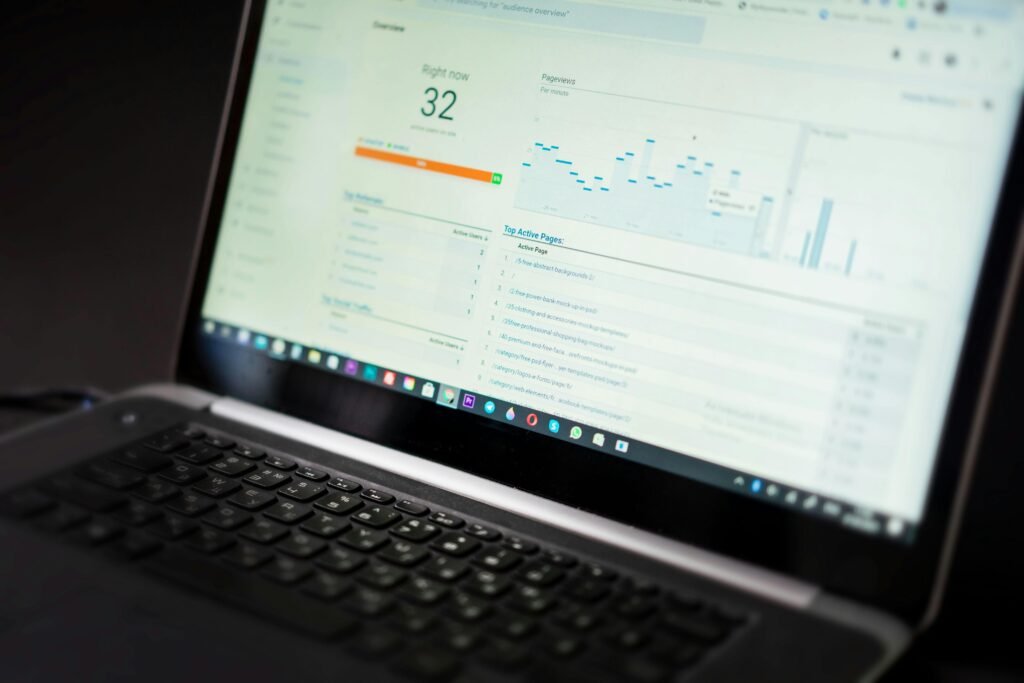
Connect Google Analytics Too
Pairing AdSense with Analytics reveals deeper truths.
You can inspect:
- Top earning pages
- Bounce rates
- Session duration
- Traffic sources
- User devices
This helps you refine content based on performance rather than guesswork.
Payment Setup
After approval, configure payments.
Go to:
Payments → Add Payment Method
Depending on the country, options may include:
- Bank transfer
- Wire transfer
- Other regional methods
Google also mails a PIN to verify your address once you reach the payment threshold.
Enter the PIN when received.
Common Beginner Mistakes to Avoid
Clicking Your Own Ads
Never do this. Even curiosity clicks can trigger invalid activity flags.
Buying Fake Traffic
Bot visits and low-grade traffic can suspend accounts.
Copying Content
Unoriginal pages rarely thrive.
Ignoring Mobile Design
Most traffic now arrives through phones.
Chasing Shortcuts
Sustainable revenue grows from audience trust, not gimmicks.
How Long Until You Earn Money?
This depends on:
- Niche
- Traffic volume
- Visitor country
- Ad placement
- Content quality
- SEO strength
Some sites earn a few dollars monthly at first. Others scale into substantial recurring income over time.
The real accelerant is consistency.
Advanced Growth Strategy
Once AdSense is running smoothly:
Publish Weekly
Fresh content invites search engines back.
Update Old Posts
Refresh statistics, examples, screenshots, and keywords.
Build Email Lists
Returning readers multiply revenue potential.
Use Internal Linking
Guide readers from one article to another.
Expand Winning Topics
If one category performs well, deepen that cluster.
Final Thoughts
Connecting Google AdSense to your website is not merely about pasting code. It is about building a trustworthy digital property worthy of advertiser demand. When your site offers useful content, navigates cleanly, loads swiftly, and respects visitors, monetization becomes far easier.
Treat AdSense as a business tool—not a lottery ticket.
Build substance first. Revenue follows after.
Quick Recap
- Build a quality website
- Add legal pages
- Apply for AdSense
- Insert verification code
- Wait for review
- Create ads or enable Auto Ads
- Optimize placement
- Grow traffic ethically
- Receive payments
- Scale intelligently
Your website can become more than a hobby. With discipline and patience, it can become an asset.