

Best Free Tools Every Beginner Blogger Should Use Stepping into the blogging arena can feel like wandering into a vast marketplace without a map. There are voices everywhere, tools in abundance, and advice pouring in from all directions. For a beginner, the challenge isn’t just writing—it’s choosing the right companions for the journey. Fortunately, you don’t need a heavy wallet to begin. A constellation of free tools exists, quietly powerful, ready to transform scattered ideas into polished digital narratives.
Let’s explore the finest of these tools—simple, effective, and surprisingly potent.
Why Tools Matter More Than You Think
A blog is not merely words stitched together. It is structure, visibility, rhythm, and resonance. Without the right instruments, even the most brilliant idea may drift unnoticed in the digital abyss.
Think of tools as invisible scaffolding. They support your creativity while remaining unseen by your audience. The better your tools, the smoother your climb.
Writing and Editing Tools
1. Grammarly – Your Silent Editor
Mistakes whisper louder than meaning. Grammarly acts like a vigilant proofreader, catching slips in grammar, tone, and clarity before your readers ever notice them.
It doesn’t just correct—it suggests. It nudges your sentences into smoother shapes, making your voice more refined without stripping away personality.
2. Hemingway Editor – Clarity Over Complexity
If your sentences wander too far, Hemingway pulls them back. This tool favors brevity and strength, highlighting overly dense lines and unnecessary fluff.
It’s like a strict teacher—but a fair one. Your writing becomes sharper, cleaner, and easier to digest.
3. Google Docs – Simplicity with Power
No installation, no fuss. Google Docs offers a seamless writing space where ideas flow freely. Its auto-save feature ensures your thoughts never vanish into thin air.
Collaboration becomes effortless. You can share drafts, receive feedback, and refine your work in real time.
Keyword Research Tools
4. Ubersuggest – Discover What People Search
Blogging without keywords is like fishing without bait. Ubersuggest reveals what readers are actively searching for, helping you align your content with real demand.
It provides keyword ideas, competition levels, and even content inspiration. For a beginner, it’s like having a compass in unfamiliar territory.
5. Google Keyword Planner – Data Straight from the Source
This tool taps directly into Google’s ecosystem. It shows search volumes and trends, helping you identify phrases worth targeting.
While originally designed for advertisers, bloggers can quietly harness its insights to shape smarter content strategies.

SEO Optimization Tools
6. Yoast SEO – Your On-Page Guide
For WordPress users, Yoast SEO is almost indispensable. It evaluates your content as you write, offering suggestions to improve readability and search visibility.
Green lights, red warnings—it simplifies SEO into something manageable, even for newcomers.
7. Rank Math – A Rising Alternative
Rank Math delivers similar features with a slightly more modern twist. It provides deeper insights without overwhelming complexity.
For beginners seeking flexibility, it’s a compelling option.
Content Idea Generators
8. AnswerThePublic – Questions Become Content
This tool transforms search queries into visual maps of questions people ask online. It’s like peering into the collective curiosity of the internet.
Each question can spark a blog post, turning uncertainty into opportunity.
9. Portent’s Content Idea Generator – Creativity on Demand
Feeling stuck? This tool produces quirky, sometimes unexpected titles. Not all will be perfect—but some will ignite ideas you hadn’t considered.
It’s less about precision, more about inspiration.
Image and Design Tools
10. Canva – Design Without Design Skills
A blog without visuals feels incomplete. Canva makes graphic creation effortless, offering templates for featured images, social posts, and more.
Drag, drop, adjust—and suddenly, your blog looks far more professional.
11. Unsplash – Free High-Quality Images
Stock photos often feel staged. Unsplash offers authentic, artistic images that elevate your content’s visual appeal.
No cost, no awkward licensing worries—just stunning visuals at your fingertips.
Website and Performance Tools
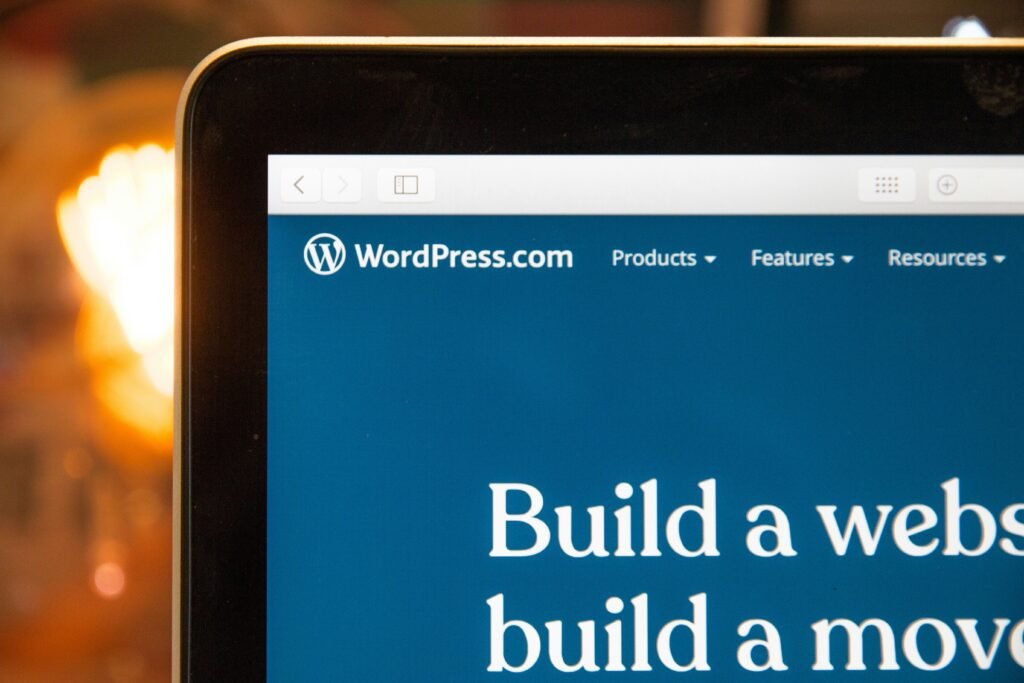
12. WordPress.com – A Beginner-Friendly Platform
If you’re just starting, WordPress.com provides a straightforward path to publishing. It handles hosting and basic setup, letting you focus on writing.
As you grow, you can transition to more advanced setups—but this is a gentle beginning.
13. Google Analytics – Understand Your Audience
Numbers tell stories. Google Analytics reveals who visits your blog, how they found you, and what keeps them engaged.
It may seem complex at first, but even basic insights can guide smarter decisions.
Social Media and Promotion Tools
14. Buffer – Schedule with Ease
Consistency matters more than intensity. Buffer allows you to schedule posts across platforms, maintaining a steady presence without constant effort.
It frees your time while keeping your blog visible.
15. Hootsuite – Manage Multiple Channels
If you expand across several social platforms, Hootsuite helps you manage them from one place. It’s like a control panel for your online presence.
Productivity and Organization Tools
16. Trello – Visual Task Management
Ideas can scatter quickly. Trello organizes them into boards and cards, making your workflow visible and manageable.
You can plan posts, track progress, and avoid the chaos of forgotten ideas.
17. Notion – All-in-One Workspace
Notion blends note-taking, planning, and database features into a single platform. It adapts to your style, whether you prefer structure or flexibility.
For bloggers juggling multiple tasks, it becomes a digital command center.
Backup and Security Tools
18. UpdraftPlus – Protect Your Work
Imagine losing everything you’ve written. UpdraftPlus prevents that nightmare by backing up your site regularly.
It’s quiet protection—rarely noticed, but invaluable when needed.
Email Marketing Tools
19. Mailchimp – Build Your Audience
A blog thrives on connection. Mailchimp helps you collect emails and send newsletters, turning casual visitors into loyal readers.
Even its free plan offers enough to begin building a community.
The Hidden Advantage of Free Tools
Free doesn’t mean weak. Many of these tools rival paid alternatives in functionality. The real advantage lies in accessibility—you can experiment, learn, and grow without financial strain.
Over time, you may choose to invest in premium features. But in the beginning, these tools are more than enough to set a strong foundation.
Choosing the Right Combination
Not every tool suits every blogger. Some prefer minimal setups, others enjoy a full toolkit. The key is balance.
Start small. Perhaps a writing tool, an SEO plugin, and a design platform. As your blog evolves, expand your toolkit thoughtfully.
Avoid the trap of using too many tools at once. Complexity can stifle creativity.
Final Thoughts
Blogging is both a craft and a strategy. Words alone are powerful—but with the right tools, they become unstoppable.
These free resources are not shortcuts. They are enhancers. They refine your voice, amplify your reach, and steady your journey through the crowded digital landscape.
Begin with what you have. Experiment without fear. And remember—every successful blogger once stood exactly where you are now, staring at a blank page, wondering where to start.
Now, you have your answer.