

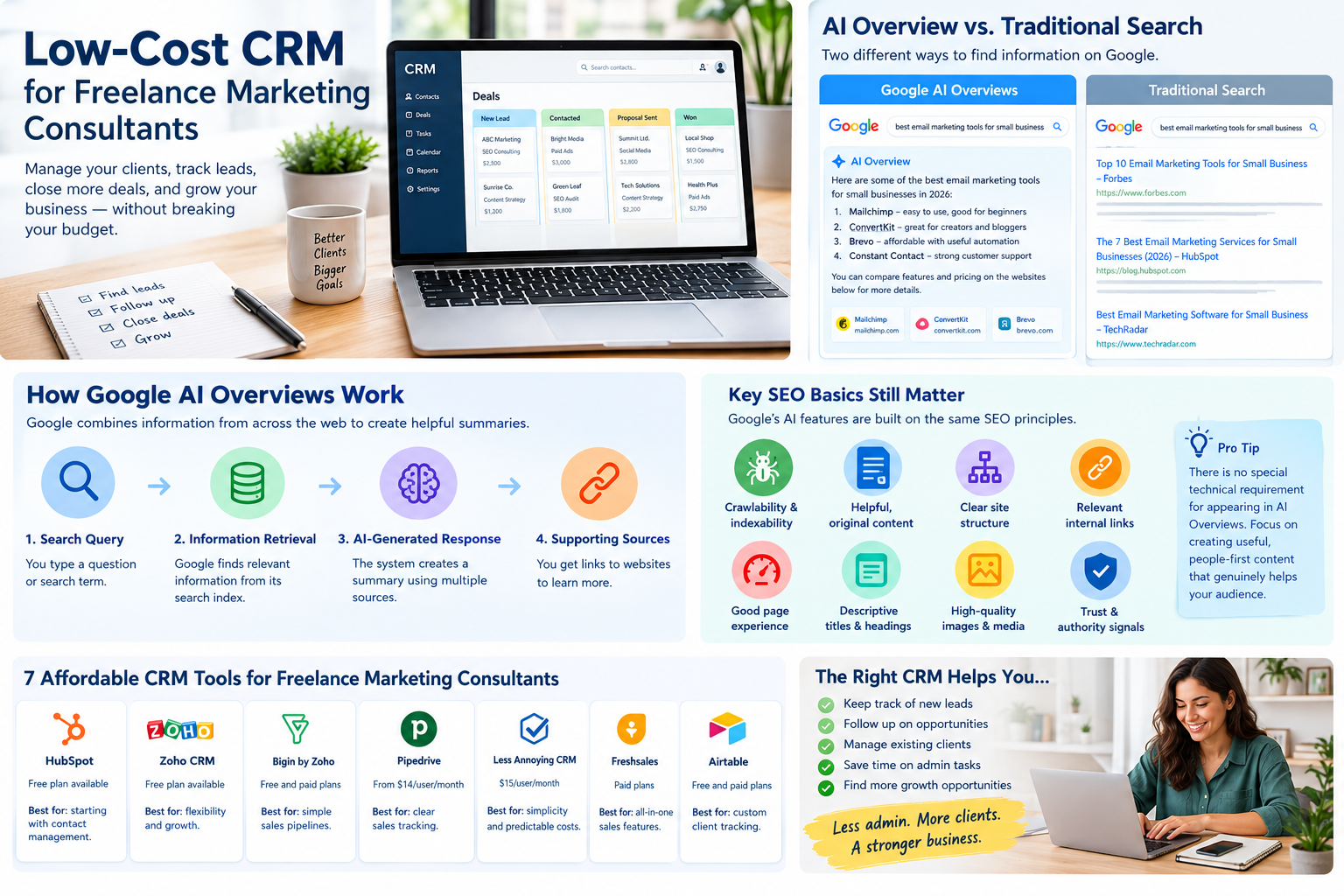
Low-Cost CRM for Freelance Marketing ConsultantsRunning a freelance marketing consultancy involves much more than creating campaigns, writing content, or managing advertising accounts. You also need to find new clients, respond to inquiries, send proposals, schedule meetings, follow up on leads, and maintain relationships with existing customers.
When these responsibilities are spread across email inboxes, spreadsheets, messaging apps, and handwritten notes, important opportunities can easily disappear. You might forget to follow up with a potential client, lose track of a proposal, or overlook an opportunity to offer an additional service to an existing customer.
This is where a customer relationship management system, commonly known as a CRM, becomes useful.
A low-cost CRM for freelance marketing consultants helps organize contacts, track potential projects, record client interactions, and manage sales opportunities without adding an expensive software subscription to your monthly expenses.
However, choosing the right CRM is not simply about finding the lowest advertised price. You need software that fits your workflow, offers the features you actually use, and leaves room for your consulting business to grow.
In this guide, we compare seven CRM options, explain their advantages and limitations, and show you how to choose an affordable solution that supports your freelance marketing business.
What Is a CRM for Freelance Marketing Consultants?
A CRM is software that helps businesses organize and manage relationships with prospective and existing customers.
For a freelance marketing consultant, a CRM can function as a central record of business relationships. Instead of searching through old emails to remember a conversation, you can open a contact record and review the information you need.
For example, imagine you provide SEO consulting, content marketing, and paid advertising services.
A potential client contacts you after reading one of your blog posts. You arrange a discovery call, discuss their marketing challenges, and promise to send a proposal.
Without an organized system, you might forget the follow-up date or lose the original conversation.
With a CRM, you can record the client’s details, add notes from the meeting, set a reminder, and move the opportunity through your sales process.
A CRM can help you manage:
- Potential clients and business inquiries
- Contact information and communication history
- Discovery calls and consultations
- Proposals and outstanding follow-ups
- Sales opportunities and estimated project values
- Existing client relationships
- Renewal opportunities and additional services
- Referral sources and networking contacts
A CRM does not necessarily replace your project management, invoicing, email marketing, or accounting software. Its primary purpose is to help you manage relationships and sales opportunities more consistently.
Why Freelance Marketing Consultants Need an Affordable CRM
Freelancers often begin with spreadsheets because they are inexpensive and familiar. That can be a sensible starting point when you have only a few clients.
Problems emerge when your business becomes more active.
You might have several proposals waiting for approval, multiple prospects requesting different services, and existing clients expecting regular communication. A spreadsheet can store this information, but maintaining it manually becomes increasingly difficult.
An affordable CRM helps solve several common problems.
1. Prevent Missed Follow-Ups
A promising prospect may not hire you immediately. They might need approval from a business partner, want to compare proposals, or prefer to revisit the project next month.
A CRM lets you schedule follow-up tasks so you do not depend entirely on memory.
2. Keep Client Information Organized
Marketing consultants often work with clients across different industries. One client may need SEO support, while another requires help improving paid advertising performance.
Keeping project context, preferences, meeting notes, and contact details together helps you communicate more professionally.
3. Track Your Sales Pipeline
A sales pipeline shows where each potential client stands.
For example:
- New inquiry
- Discovery call scheduled
- Proposal in preparation
- Proposal sent
- Negotiation
- Won or lost
This makes it easier to understand which opportunities need attention.
4. Save Administrative Time
A CRM can reduce repetitive tasks such as searching for contact information, updating spreadsheets, and reviewing email conversations to remember what happens next.
Even small time savings matter when you are responsible for both delivering client work and finding new business.
5. Identify Opportunities for Growth
Your CRM can help you identify which services attract the most inquiries, which referral sources generate qualified leads, and which proposals are most likely to become paying projects.
These insights can inform your marketing strategy and business development decisions.
7 Best Low-Cost CRM Options for Freelance Marketing Consultants
The following tools cover different needs, from free contact management to paid sales pipelines and simple client relationship tracking.
Prices and free-plan limits can change. The figures below are examples of publicly listed US pricing checked for this article in October 2026; confirm the current price, billing conditions, taxes, and feature limits on each vendor’s official website before purchasing.
1. HubSpot CRM — Best Starting Point for Freelancers on a Tight Budget
HubSpot is a popular option for freelancers who want to organize leads and client relationships without immediately paying for a CRM.
Its free tools provide a starting point for contact management and sales tracking. HubSpot currently advertises a free tier for up to two users, with paid Starter pricing varying according to the subscription and billing offer. Official HubSpot pricing
Best for: Freelancers who want to start with contact management and expand their sales process over time.
Useful features include:
- Contact and company records
- Deal and pipeline management
- Sales activity tracking
- Integration options
- Tools for organizing customer interactions
- Additional marketing and sales capabilities through paid products
Example for a marketing consultant
Suppose you offer SEO audits to small businesses. You receive inquiries through your website, LinkedIn, and referrals.
You can organize prospects in HubSpot, record their business needs, schedule follow-up activities, and track whether they have booked a consultation or accepted your proposal.
You can also keep notes about the services discussed, making future conversations more relevant.
Advantages
HubSpot offers an accessible starting point and provides room to explore a broader set of sales and marketing tools. It may be particularly useful if you plan to build a more structured lead-generation process.
Limitations
Not every feature is included in the free offering. Advanced automation, reporting, and other capabilities may require a paid subscription. As your needs expand, examine the complete cost rather than assuming every additional tool is free.
Verdict: A strong first option if you want to establish an organized client acquisition process without an immediate software expense.
Official website: https://www.hubspot.com/pricing/crm
2. Zoho CRM — Best for Budget-Conscious Consultants Who Want Flexibility
Zoho CRM is worth considering if you want contact management, follow-up reminders, and a system that can become more sophisticated as your consultancy grows.
Zoho publishes a free edition for up to three users. Its Standard plan is listed at US$14 per user per month when billed annually, although regional pricing and plan details may differ. Official Zoho CRM pricing
Best for: Freelancers who want a flexible CRM and may eventually need automation, reporting, and connections with other business applications.
Useful features include:
- Contact and lead management
- Follow-up reminders
- Tasks, meetings, and calls
- Sales activity records
- Reports
- Mobile access
- Additional workflow and integration capabilities depending on the plan
Example for a marketing consultant
Imagine you manage content marketing for several small companies while prospecting for new SEO clients.
You can record each prospect, categorize them by industry, add notes about their marketing goals, and set a reminder to follow up after sending a proposal.
As your business develops, you can evaluate whether paid features would help automate repetitive tasks.
Advantages
Zoho provides a free starting point and a broader business software ecosystem. This can be useful if you eventually want to connect customer management with other administrative processes.
Limitations
The interface and configuration options may take time to learn. You should avoid building an elaborate system before understanding which activities genuinely need automation.
Verdict: A practical choice for consultants who want affordability and flexibility, particularly if they expect their processes to become more complex.
Official website: https://www.zoho.com/en-us/crm/zohocrm-pricing.html
3. Bigin by Zoho CRM — Best for Simple Sales Pipelines
Bigin is designed around the needs of smaller businesses that want a more straightforward way to manage contacts and sales pipelines.
Rather than starting with a highly configurable system, you can concentrate on moving prospects through a simple sequence of sales stages.
Best for: Solo consultants who want a lightweight CRM focused on leads, deals, and follow-ups.
Useful capabilities to investigate include:
- Contact and company management
- Pipeline tracking
- Activity management
- Sales process organization
- Connections with other applications
- Additional features on paid plans
Example for a marketing consultant
Suppose you offer three services: SEO consulting, paid advertising management, and content strategy.
You could organize opportunities by service and track each prospect from initial inquiry to signed agreement.
For instance, a prospect requesting an SEO audit might move from “New Lead” to “Discovery Call,” then “Proposal Sent,” and finally “Won.”
This gives you a quick view of your sales activity without requiring a complicated reporting system.
Advantages
A pipeline-focused CRM can be easier to maintain than a larger platform when you are working alone. It encourages you to record the next step for each opportunity.
Limitations
Check the current free-plan limits carefully, including record limits, user restrictions, and which integrations or automations require payment. A basic plan may be sufficient initially but unsuitable once your contact database grows.
Verdict: Consider Bigin if you want a straightforward sales pipeline without the complexity of a larger CRM.
Official website: https://www.bigin.com/
4. Pipedrive — Best for Consultants Who Need Clear Sales Tracking
Pipedrive is built around sales pipelines and deal management. It is particularly useful when your main challenge is keeping track of prospects, proposals, and expected revenue.
Its Lite plan is listed at US$14 per seat per month when billed annually, and the company offers a 14-day free trial. Official Pipedrive pricing
Best for: Freelancers who regularly pitch projects and want a visual overview of their sales opportunities.
Useful features include:
- Lead and contact management
- Deal tracking
- Sales pipeline views
- Calendar and activity management
- Reporting capabilities
- Integration options
Features vary by subscription tier.
Example for a marketing consultant
Imagine you send eight proposals each month for SEO retainers, website optimization, and advertising management.
Pipedrive can help you see which proposals are awaiting a response, which prospects need another conversation, and which opportunities have been won or lost.
You can also use deal values to estimate potential revenue, provided you keep the records accurate.
Advantages
The pipeline-centered approach makes sales activity visible. It can help consultants who want a disciplined process for following up and managing proposals.
Limitations
Pipedrive does not have a permanent free plan advertised alongside its paid plans. You should also check which email synchronization, automation, and reporting features are available at the tier you can afford.
Verdict: A good option if sales visibility is important enough to justify a paid subscription.
Official website: https://www.pipedrive.com/en/pricing
5. Less Annoying CRM — Best for Simplicity and Predictable Pricing
Less Annoying CRM focuses on straightforward customer relationship management for small businesses.
Its pricing page lists one main subscription at US$15 per user per month, with no tiered feature structure and a 30-day free trial. Official Less Annoying CRM pricing
Best for: Independent consultants who want simple contact management and prefer predictable monthly costs.
Useful features include:
- Contact and company management
- Task and calendar organization
- Pipeline management
- Email logging
- Custom fields
- Mobile access
- Customer support
Example for a marketing consultant
Suppose most of your new work comes through referrals and professional relationships rather than automated lead generation.
You may not need complex marketing automation. You simply need to remember who referred a prospect, what you discussed, when to follow up, and which clients may need support again.
A simpler CRM can make this information easier to maintain.
Advantages
The straightforward pricing structure makes it easier to estimate your software expenses. You do not have to choose between several feature tiers just to access the core CRM.
Limitations
It is a paid tool rather than a permanent free option. Consultants who need advanced campaign automation or a large collection of specialized integrations should compare its capabilities with their existing workflow before subscribing.
Verdict: A sensible choice if simplicity, customer support, and predictable costs matter more than having an extensive marketing technology platform.
Official website: https://lessannoyingcrm.com/pricing
6. Freshsales — Best for Consultants Who Want Sales Features in One System
Freshsales is another CRM worth evaluating if you want to organize leads and sales activities in a dedicated platform.
Its paid offerings include different levels of sales functionality, so you should compare the current plan details against your actual requirements. Official Freshworks CRM pricing
Best for: Consultants with a growing number of prospects who want more structured sales management.
Potentially useful capabilities include:
- Lead and contact management
- Deal tracking
- Sales activities
- Communication tools
- Reporting and automation options depending on the plan
Example for a marketing consultant
You might run a consultancy specializing in paid advertising for ecommerce brands.
As the number of inquiries grows, you need to distinguish qualified prospects from people who are only researching prices.
You can use a CRM to record budgets, service requirements, decision timelines, and the next scheduled contact.
This helps you prioritize prospects who are a better fit for your services.
Advantages
Freshsales can be suitable for consultants who want more structured sales management than a basic spreadsheet provides.
Limitations
Do not choose it based on a feature advertised for a higher subscription tier. Verify the exact cost of the plan that includes the functionality you need.
Verdict: Worth testing if your lead-management process is becoming more demanding and you want a dedicated sales CRM.
Official website: https://www.freshworks.com/crm/pricing/
7. Airtable — Best for Consultants Who Want a Custom Client Tracker
Airtable combines spreadsheet-like data management with database features and customizable views. Although it is not a traditional CRM in the same sense as Pipedrive or HubSpot, it can be adapted to organize leads and client relationships.
Best for: Freelancers who prefer building their own lightweight client management system.
Possible uses include:
- Contact databases
- Lead qualification
- Proposal tracking
- Client categories
- Referral tracking
- Follow-up dates
- Custom reporting views
Example for a marketing consultant
You could create a table with fields for client name, business website, service requested, estimated project value, lead source, proposal status, and next follow-up date.
A filtered view could display every proposal that has been sent but has not yet received a response.
Another view could show active clients by service type.
Advantages
Airtable is flexible and can be tailored to a particular consulting workflow. If you already use spreadsheets, the approach may feel familiar.
Limitations
You need to design and maintain the system yourself. A custom tracker may not provide the same ready-made sales activities, communication history, or relationship-management workflows as a dedicated CRM. Check the current free-plan limits and paid features before relying on it for business-critical processes.
Verdict: A useful alternative if your client tracking needs are unusual or you prefer a customizable database over a conventional CRM.
Official website: https://www.airtable.com/
Comparison Table: Which Low-Cost CRM Should You Choose?
The best choice depends on your budget, workflow, and how much time you want to spend configuring software.
| CRM | Best for | Starting-cost approach | Main consideration |
|---|---|---|---|
| HubSpot CRM | General freelance sales and contact management | Free plan available | Paid features may add costs |
| Zoho CRM | Flexible, budget-conscious CRM | Free plan available | More configuration may be needed |
| Bigin | Simple sales pipelines | Free and paid options; verify limits | Check record and feature restrictions |
| Pipedrive | Visual deal tracking | Paid plans; trial available | Advanced features cost more |
| Less Annoying CRM | Simplicity and predictable costs | US$15/user/month listed | Paid subscription required |
| Freshsales | Structured sales management | Compare current plans | Check feature availability by tier |
| Airtable | Custom client tracking | Free and paid plans | Requires more setup |
Prices and plan features are subject to change. The table is intended as a shortlist, not a guarantee that every feature is included in each entry-level plan.
How to Choose the Right CRM for Your Freelance Marketing Business
Before signing up for a CRM, consider what is causing the biggest problem in your current workflow.
Step 1: Define Your Main Problem
Do you lose track of prospects? Forget follow-ups? Struggle to organize client conversations? Or need a clearer view of your proposals?
Write down the three tasks that currently consume the most administrative time.
Choose a CRM that solves those problems first.
Step 2: Set a Realistic Budget
If you are starting your consultancy, a free plan may be enough.
If you already earn regular income from consulting, paying for a CRM may be worthwhile when it saves time or helps you win business.
For example, a subscription costing US$15 per month totals US$180 per year before taxes. That expense may be reasonable if the software consistently improves your workflow, but it is unnecessary if you barely use it.
Step 3: Check Contact and Usage Limits
A free CRM may limit the number of users, records, emails, automations, or integrations.
Estimate how many contacts you expect to manage over the next year. Check whether the plan includes the features you need today and whether upgrading later would remain affordable.
Step 4: Consider Your Existing Tools
If you already use Google Workspace, a project management platform, or an invoicing application, investigate whether the CRM connects with those tools.
A system that integrates with your existing workflow can reduce manual data entry.
However, do not pay extra for integrations you will never use.
Step 5: Test the CRM With Real Work
During a free trial, enter a few real prospects, create a pipeline, schedule follow-ups, and record meeting notes.
Ask yourself:
- Can I find a contact quickly?
- Can I see which prospects need attention?
- Is it easy to record a new inquiry?
- Can I manage the system from my usual device?
- Does the interface make my work easier?
- Can I export my data if I switch platforms?
If a CRM makes routine tasks more complicated, it may not be the right choice.
How to Set Up a CRM for Freelance Marketing Consulting
You do not need an elaborate configuration to get started. A simple system that you maintain consistently is usually more useful than a complex one you abandon.
1. Create a Contact Database
Start with essential information:
- Name
- Company
- Email address
- Website
- Service of interest
- Lead source
- Date of last contact
- Next action
Only collect information that is useful for legitimate business purposes. Keep sensitive client information out of general notes unless you have a suitable reason and appropriate safeguards.
2. Build a Simple Sales Pipeline
Use a small number of clear stages:
New lead → Qualified → Discovery call → Proposal sent → Negotiation → Won or lost
Adapt the stages to match your business. For example, a consultant who sells fixed-price SEO audits may need fewer steps than someone selling long-term marketing retainers.
3. Record Notes After Every Important Conversation
After a discovery call, record the client’s goals, current challenges, budget expectations if discussed, and agreed next steps.
For example:
“Prospect wants to improve organic traffic to the company website. Interested in a technical SEO audit and content strategy. Send a proposal by Thursday.”
These notes help you prepare a relevant proposal and avoid asking the same questions repeatedly.
4. Schedule the Next Action
Every active opportunity should have a clear next step.
That could be sending a proposal, scheduling another meeting, answering a question, or following up after the client has reviewed your offer.
Do not rely on memory when your CRM can remind you.
5. Review Your Pipeline Weekly
Set aside 15 to 20 minutes each week to review:
- New inquiries
- Proposals awaiting responses
- Follow-ups due
- Qualified prospects
- Newly won projects
- Lost opportunities
This simple routine can prevent leads from disappearing unnoticed.
Practical Example: Using a Low-Cost CRM to Win More Marketing Clients
Consider a fictional freelance marketing consultant named Sarah who offers SEO audits and content strategy to small businesses.
Initially, Sarah stores prospect details in a spreadsheet and keeps follow-up reminders in her calendar.
After a few months, she notices that some proposals receive no follow-up because she cannot easily see which clients are waiting for a response.
She decides to introduce a basic CRM.
First, Sarah imports her active prospects. Next, she creates a pipeline with stages for new inquiries, discovery calls, proposals, and closed deals.
After every meeting, she records the client’s main challenges and schedules the next action.
She also adds a lead-source field to identify whether inquiries come from LinkedIn, referrals, search traffic, or her website.
After several weeks, Sarah reviews the records to identify which opportunities need attention and which lead sources are producing qualified prospects.
The CRM does not guarantee that Sarah will win more clients. However, it gives her a clearer process for managing opportunities and following through on commitments.
The lesson is that the value of a CRM does not come from collecting large amounts of data. It comes from using information to make better decisions and maintain consistent communication.
Common CRM Mistakes Freelance Consultants Should Avoid
Choosing Software Based Only on Price
The cheapest option is not always the least expensive in practice. If it requires hours of manual work or forces you to upgrade quickly, another solution may provide better value.
Automating Too Much Too Early
You do not need complicated workflows when you have only a handful of active leads.
Start with contact records and reminders. Add automation when you understand which repetitive tasks are worth automating.
Failing to Update Contact Records
A CRM is only useful when its information remains accurate.
After a meeting, proposal, or important email, take a moment to record the relevant update.
Mixing Sales and Project Management
A CRM helps you manage relationships and opportunities, but it may not be the best place to manage every task involved in delivering client work.
Use a separate project management tool if you need detailed task assignments, deadlines, approvals, and deliverable tracking.
Ignoring Data Security
Client relationships often involve private business information.
Use strong authentication, restrict access where possible, review privacy policies, and export or back up important data according to a sensible retention policy. Follow the privacy requirements that apply to your business and clients.
Is a Free CRM Enough for a Freelance Marketing Consultant?
In many cases, yes.
A free CRM may be sufficient if you work alone, have a manageable number of prospects, and mainly need contact records, a sales pipeline, and reminders.
Consider upgrading when you repeatedly encounter a specific limitation, such as needing a particular integration, more automation, advanced reporting, or additional users.
Before paying, calculate the full annual cost and compare it with the time or business value the upgrade is likely to provide.
A useful rule is to pay for a feature because you have a real need for it, not because it appears on a premium feature list.
Frequently Asked Questions
What is the cheapest CRM for freelance marketing consultants?
The cheapest option may be a CRM with a free plan, such as HubSpot CRM or Zoho CRM. Bigin also offers free and paid options. The right choice depends on current plan limits and whether the included features meet your needs.
Do freelance marketing consultants really need a CRM?
Not every freelancer needs dedicated CRM software. A spreadsheet may be enough when you have very few prospects. A CRM becomes more useful when you need to manage many contacts, follow-ups, proposals, and ongoing client relationships.
Can a CRM help me find new marketing clients?
A CRM does not automatically generate qualified leads unless it includes or connects to suitable lead-generation tools. Its main benefit is helping you organize, qualify, follow up with, and manage the prospects you already attract.
Should I choose HubSpot or Zoho CRM?
Choose HubSpot if you want an accessible starting point for contact management and sales activity. Consider Zoho CRM if you value its flexible features and broader business software ecosystem. Test both against your actual workflow before deciding.
Can I use a CRM to manage existing clients?
Yes. You can record meeting notes, communication history, important dates, client preferences, and opportunities to offer additional services. Detailed project delivery may still be better handled in a dedicated project management tool.
How much should a freelancer spend on CRM software?
There is no universal budget. Start with a free plan if it covers your needs. For paid software, consider the full annual cost, available features, and whether the tool saves enough time or supports enough business activity to justify the expense.
Conclusion
Choosing a low-cost CRM for freelance marketing consultants is about finding a balance between affordability, simplicity, and useful functionality.
HubSpot CRM is a practical place to start if you want accessible contact management. Zoho CRM offers flexibility for budget-conscious consultants, while Bigin provides a more pipeline-focused approach. Pipedrive is worth considering if you want structured sales tracking, Less Annoying CRM prioritizes simplicity, Freshsales provides another dedicated sales option, and Airtable can work for freelancers who prefer building a custom client tracker.
You do not need to adopt the most sophisticated platform to run a professional consultancy.
Start with the problems you want to solve. Organize your contacts, create a clear sales pipeline, schedule follow-ups, and review your opportunities regularly. Once you understand your workflow, you can decide whether paid features or automation would genuinely help.
The best CRM is the one you can afford, understand, and consistently use to build stronger client relationships.
For most freelance marketing consultants, a simple system used every week is more valuable than an expensive platform filled with features that never get opened.